Scheduled Facebook Post Didn’t Post: What To Do Next
Feeling frustrated because your scheduled Facebook post didn’t post ? Wondering why your post says “Scheduled for Yesterday” or some other date that’s already passed? Not sure if you did something wrong or it’s a glitch? Want to know what to do next? We can help.
Part of our job as social media writers includes posting roughly 100 posts to Facebook per week. If we couldn’t schedule these posts ahead of time, we’d be on Facebook every few minutes and wouldn’t get much else done.
Thankfully, Facebook has a Scheduled Posts feature that allows us (and everyone else) to schedule posts to a Business Page in advance. You can even designate a budget for boosting your scheduled post that it will apply automatically as well.
However, every once in a while this feature fails, and your scheduled post doesn’t get published—leaving you frustrated and confused. We’ve been there. Here’s how we deal with it.
Step 1: Figure Out What Happened, Exactly.
There are generally two ways this glitch happens:
- The scheduled post does not appear on your timeline (in fact it is still listed as “scheduled”, but somehow still got engagement (i.e. likes and/or comments).
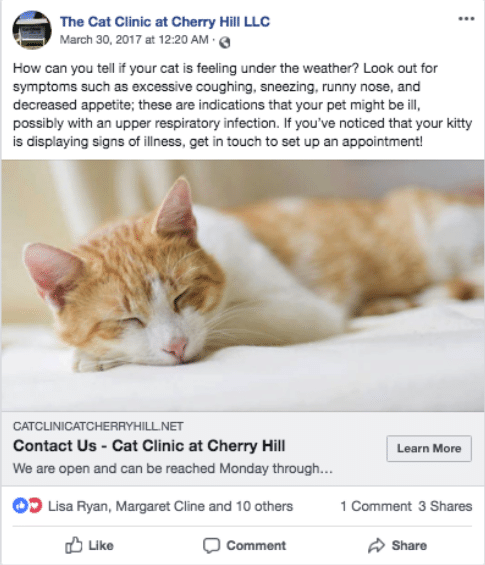
2. The scheduled post does not appear on your timelines, is still listed as scheduled, and did not get any engagement.
Step 2: Backdate, or Delete and Re-Post.
If your post still got engagement, it may not matter to you whether it was posted on your timeline or not. However, if you’d like to make sure the post does appear on your timeline, you have two options:
- Publish and Backdate the Post.
- Select
 next to Edit and select Backdate.
- Choose date and time.
- Select Backdate.
- Select
- Delete and Repost.
- Select
next to Edit and select Delete.
- Write a new post.
- Select
Step 3: Avoid This Problem in the Future
As annoying as it is when your scheduled Facebook post didn’t post, this problem shouldn’t happen all the time. As I mentioned, we post hundreds of posts per month, and it has only affected us 2 or 3 times.
Still, that’s frequently enough to be frustrating. And if you’d like to avoid this problem in the future, I suggest looking into a social media scheduling service, like Hootsuite or SproutSocial , which will allow you to avoid scheduling on Facebook entirely.
If you’re tired of dealing with Facebook glitches and social media management altogether, feel free to reach out via our website or by calling (610) 825-4363 to inquire about our social media services. We look forward to hearing from you!
The post Scheduled Facebook Post Didn’t Post: What To Do Next appeared first on GetPhound.